1. Download
Get the .apbx from GitHub. One file, password malte if AME asks.
How to apply
Three moves: download the playbook, drag it into AME Wizard, press Next. Try the drag right here - it works.
Downloads

Got both files? Open AME Wizard first - double-click it.
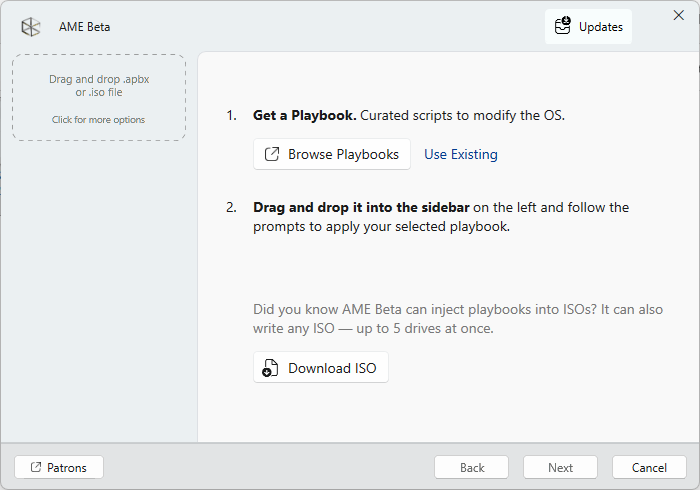
Drop the .apbx file on this window.
Dropped. After this, AME Wizard tells you the steps and asks your choices. Press Next, pick what stays, apply, reboot - done.
Get the .apbx from GitHub. One file, password malte if AME asks.
Drag it into the AME Wizard sidebar. The playbook card shows up on the left.
Press Next, answer a few questions, apply, reboot. Done.